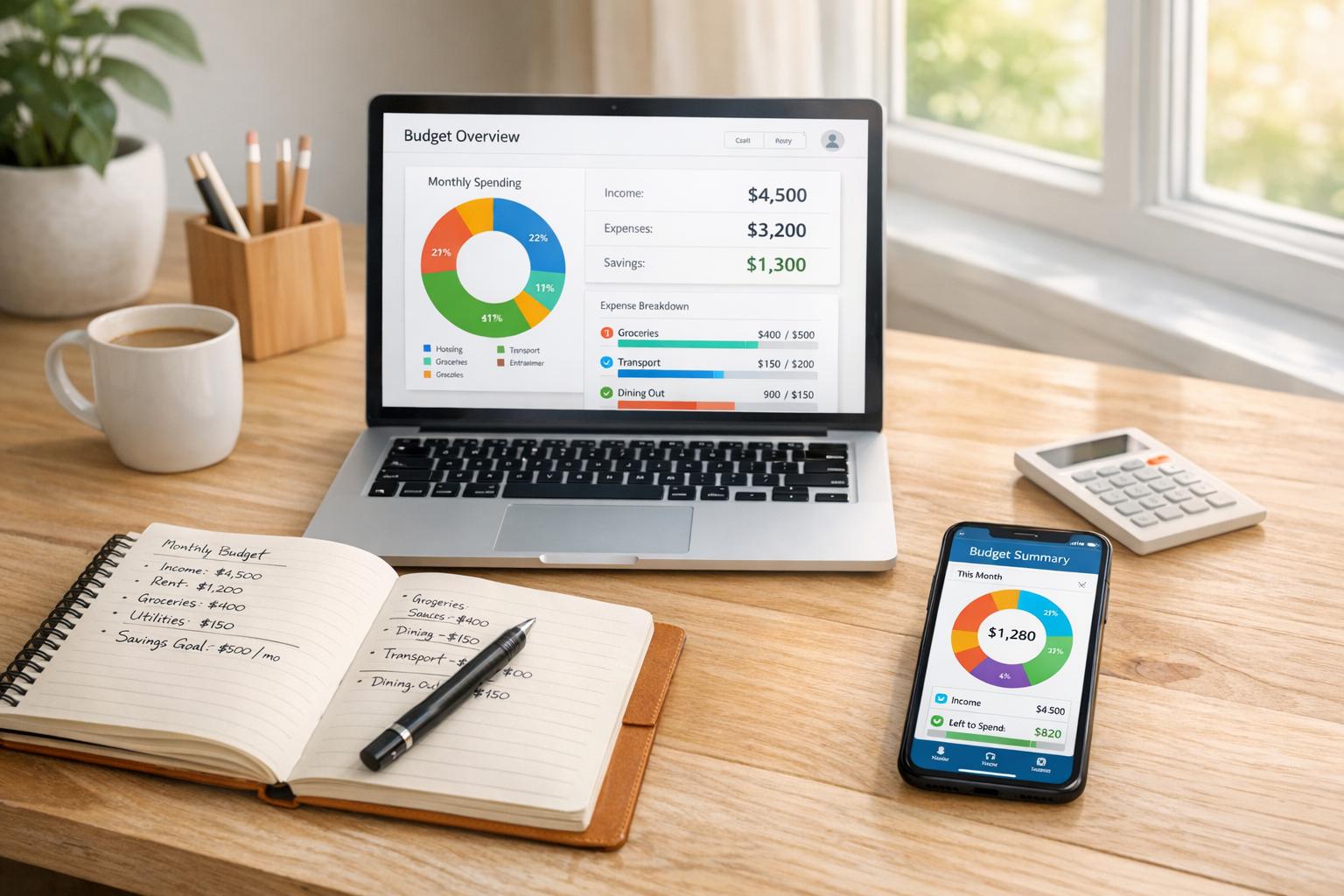
In 2025, managing your finances doesn’t have to cost anything. Free budgeting tools can help you track spending, set goals, and stay on top of your money. Whether you prefer manual tracking or automated syncing, there’s an option for everyone. Here's a quick look at the top free tools:
- Monefy: Simple manual expense tracking with a clean interface.
- PocketGuard: Automates expense tracking and shows how much you can safely spend.
- Monarch: Offers advanced tracking and customization (free trial only).
- YNAB: Zero-based budgeting with a focus on planning (free trial only).
- Goodbudget: Digital envelope system for mindful spending.
- NerdWallet: Big-picture budgeting with a 50/30/20 framework.
- EveryDollar: Zero-based budgeting with manual entry.
- Honeydue: Designed for couples, with shared accounts and chat features.
Each tool has unique strengths, from manual entry to automated insights. Choose the one that fits your style and financial goals. For a quick comparison, see the table below.
Quick Comparison
| Tool | Free Plan Available | Bank Sync | Manual Entry | Best For | Premium Cost |
|---|---|---|---|---|---|
| Monefy | Yes | No | Yes | Simple tracking | $59.99/year |
| PocketGuard | Yes | Yes | No | Automated budgeting | $74.99/year |
| Monarch | No (7-day trial) | Yes | No | Advanced tracking | $99.99/year |
| YNAB | No (34-day trial) | Yes | No | Zero-based budgeting | $109/year |
| Goodbudget | Yes | No | Yes | Envelope budgeting | $80/year |
| NerdWallet | Yes | Yes | No | Big-picture tracking | Free |
| EveryDollar | Yes | No | Yes | Detailed zero-based budgets | $79.99/year |
| Honeydue | Yes | Yes | No | Couples budgeting | Free |
These tools make budgeting accessible for everyone. Start with a free version to see what works best for you.
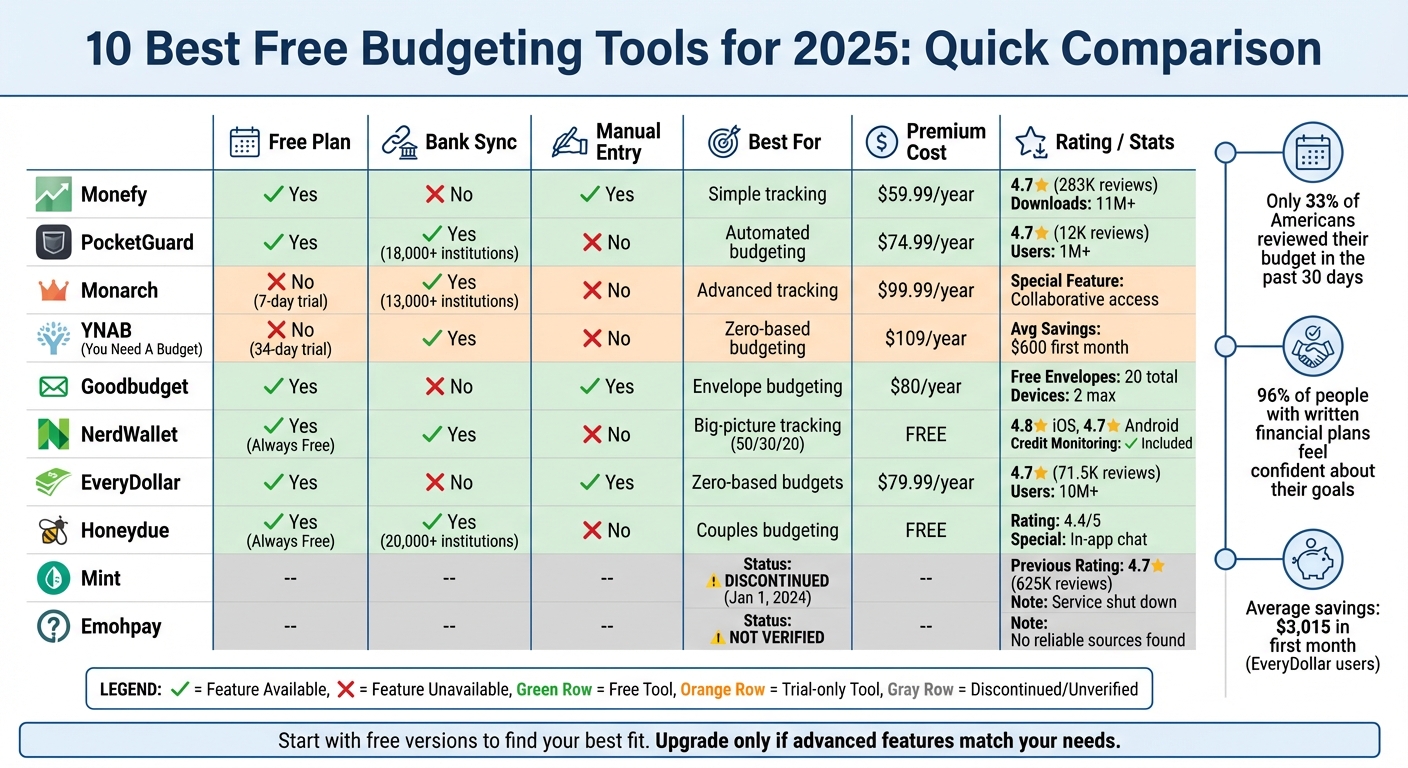
Free Budgeting Tools 2025: Feature Comparison Chart
1. Monefy
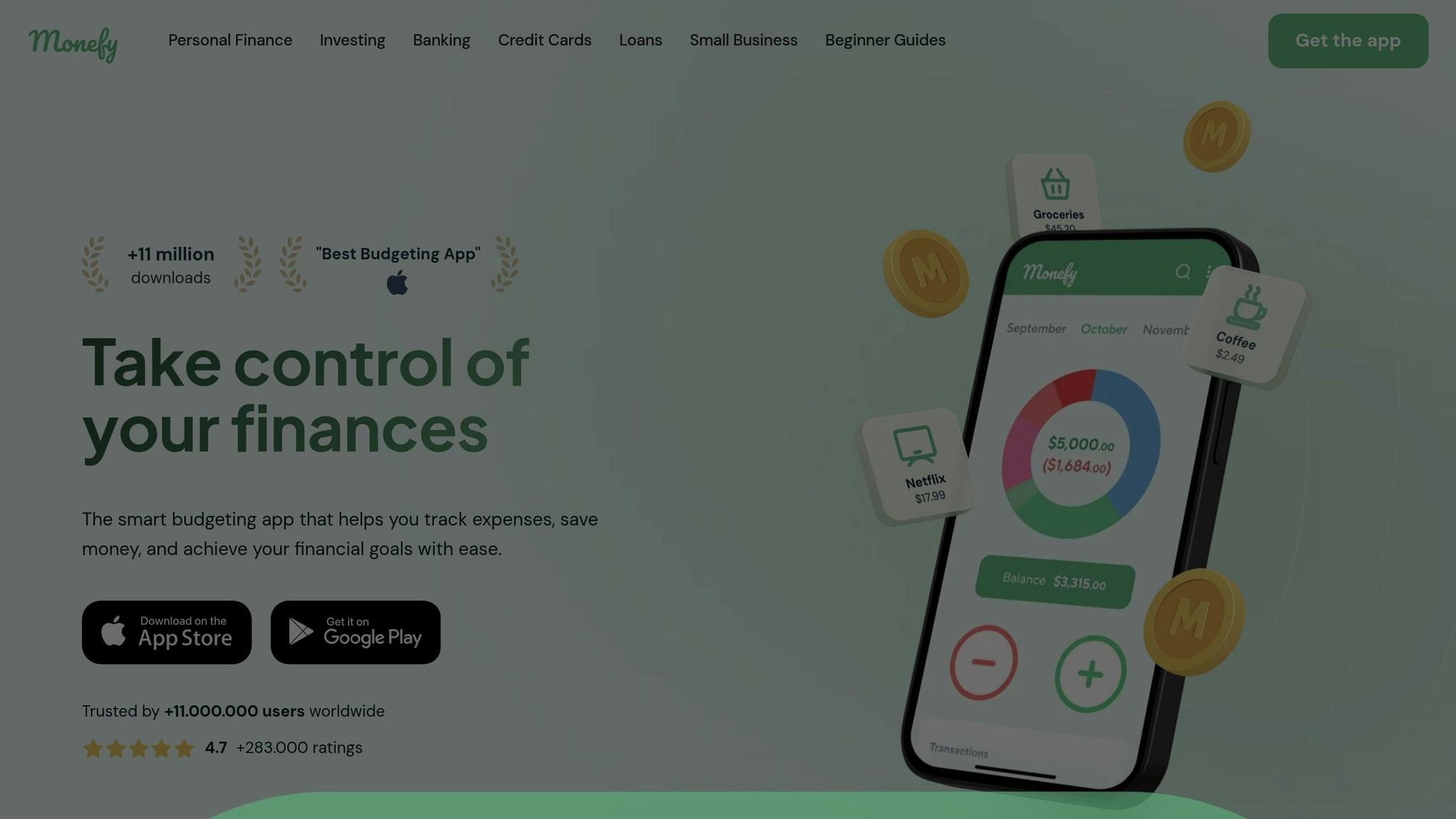
Monefy takes a straightforward approach to budgeting, relying on manual input rather than linking bank accounts or using automatic syncing. With over 11 million downloads and an impressive 4.7-star rating from more than 283,000 reviews, it’s clear that this method resonates with users. The app focuses on simplicity and privacy, making it a reliable choice for those who prefer manual expense tracking.
Expense and Income Tracking
Monefy makes logging expenses incredibly easy with its one-click recording system. All you need to do is tap a category, enter the amount using the built-in calculator, and you’re done. The app immediately displays your spending through an intuitive distribution chart, eliminating the need for complicated reports.
"Don't know where your money is going? With this app, you can get your family budget in order." - Gorchakov, App Store Review
For recurring payments like rent, subscriptions, or insurance, Monefy allows you to automate these entries, ensuring you never miss a transaction. It also supports multiple currencies, making it handy for international travel or managing finances across different regions.
Budget Customization and Visualization
The free version of Monefy provides basic tracking tools and preset expense categories, but upgrading to the premium version (priced at $59.99 per year) unlocks more advanced features. These include customizable categories, detailed financial reports, and passcode protection for added security. The app’s clean visual charts make it easy to identify spending trends at a glance, turning financial tracking into a more manageable task. Users frequently highlight the app’s simple, clutter-free interface as a major plus. Additionally, premium users benefit from seamless syncing across devices, keeping their data accessible anytime, anywhere.
Multi-Device Syncing and Accessibility
Monefy offers cross-platform syncing, allowing you to access your financial data on iOS, Android, tablets, and Chromebooks. By linking your personal Google Drive or Dropbox account, you maintain full control over your information while ensuring smooth transitions between devices and operating systems.
Core Free Features and Limitations
The free version includes essential tools like basic expense tracking, default categories, and simple visualization options. However, certain features - such as advanced backup options and data migration - are now exclusive to the Pro subscription. While the lack of bank account integration enhances privacy, it does mean you’ll need to manually enter each transaction.
"The best app for keeping track of finances. I've been using it for almost 7 years." - Ayperi, App Store Review
2. PocketGuard
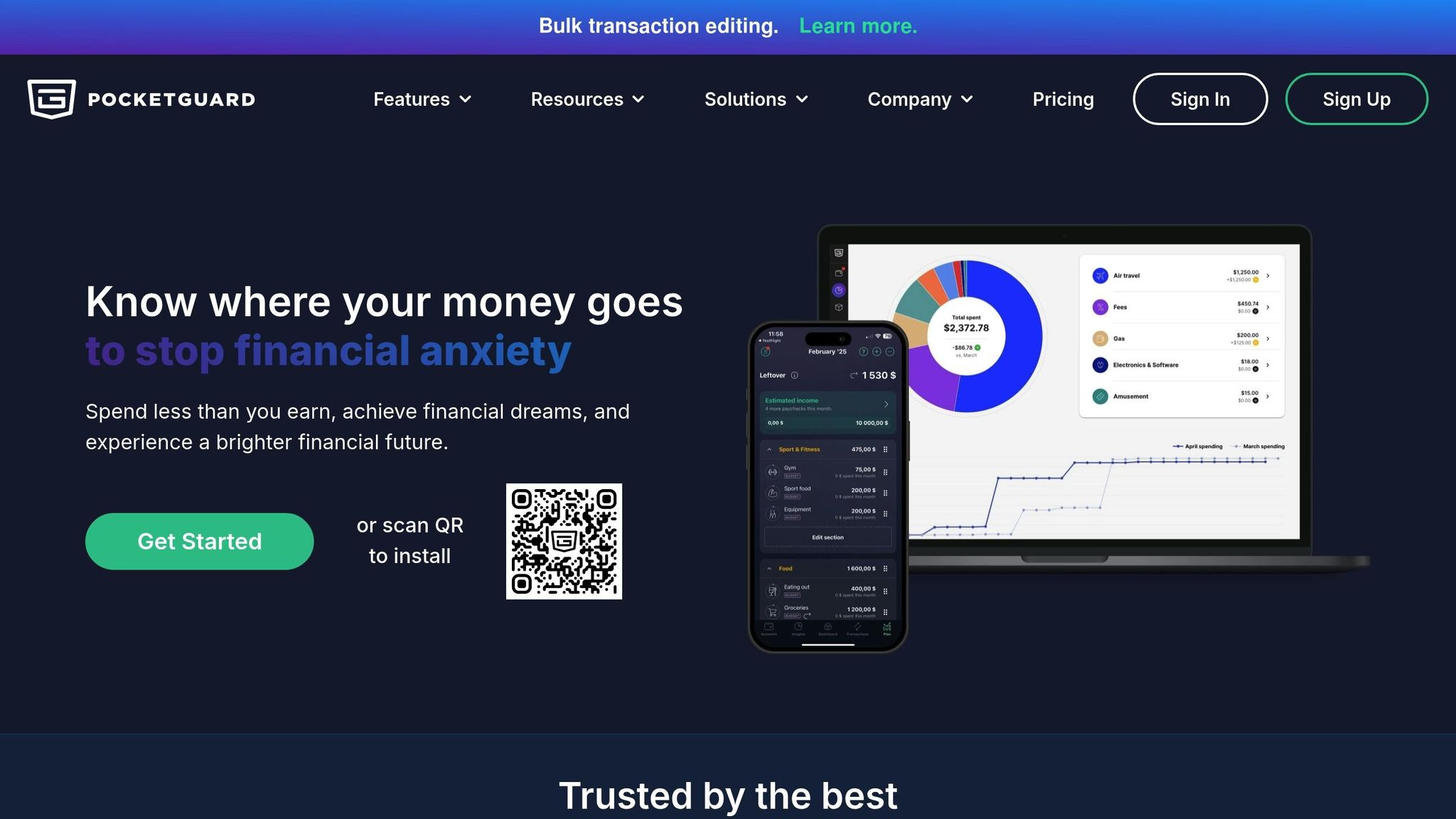
PocketGuard is known for its "In My Pocket" feature, which calculates how much money you can safely spend after factoring in bills, debt payments, and savings goals. Unlike Monefy, which emphasizes manual tracking, PocketGuard focuses on automation. With over 1,000,000 users and a 4.7-star rating from more than 12,000 reviews on the App Store, it’s a go-to choice for those who prefer a hands-off approach to budgeting.
Expense and Income Tracking
PocketGuard syncs seamlessly with over 18,000 financial institutions, automatically categorizing transactions into more than 70 custom categories. Its built-in AI identifies recurring expenses and displays them in a calendar view, even flagging unused subscriptions that might be eating into your budget. The app sends alerts when you’ve spent 50% of a category’s budget, helping you stay on track and avoid overspending.
"PocketGuard's In My Pocket feature is designed to do just that by keeping a tab on how much spending money you have available after accounting for bills and other monthly necessities." - Forbes Advisor
Managing transactions is simple with tools for bulk editing, plus options to add notes, images, or #hashtags for creating personalized spending reports.
Budget Customization and Visualization
PocketGuard allows you to fully personalize your budget, letting you adjust sections, categories, and even emojis to fit your style. It uses a SMART approach to financial goals, tracking your progress based on real-time account balances and planned transactions. The app also includes tools like spending reports, cash flow analysis, and net worth tracking, offering clear insights without overwhelming you. Forbes Advisor highlighted PocketGuard as one of the "Best Budgeting Apps", praising its affordability and effective spending alerts.
Multi-Device Syncing and Accessibility
PocketGuard works across web browsers, iOS, Android, and Apple Watch. Real-time syncing ensures your data stays up-to-date no matter which device you’re using. To keep your information secure, the app employs 256-bit SSL encryption, PIN codes, and biometric authentication through Touch ID and Face ID.
"PocketGuard has been a perfect replacement and very fairly priced for a lifetime sub." - Kallsen C., Google Play User
Core Free Features and Limitations
The free version of PocketGuard includes unlimited linked accounts, automatic tracking, and the signature "In My Pocket" feature. For $74.99 annually (or $12.99 per month), premium users gain access to advanced debt payoff plans, bill negotiation tools, and all 70+ custom categories. While PocketGuard excels in automation, it doesn’t offer investment tracking or credit score monitoring. A 7-day free trial is available to explore premium features before making a commitment.
3. Monarch
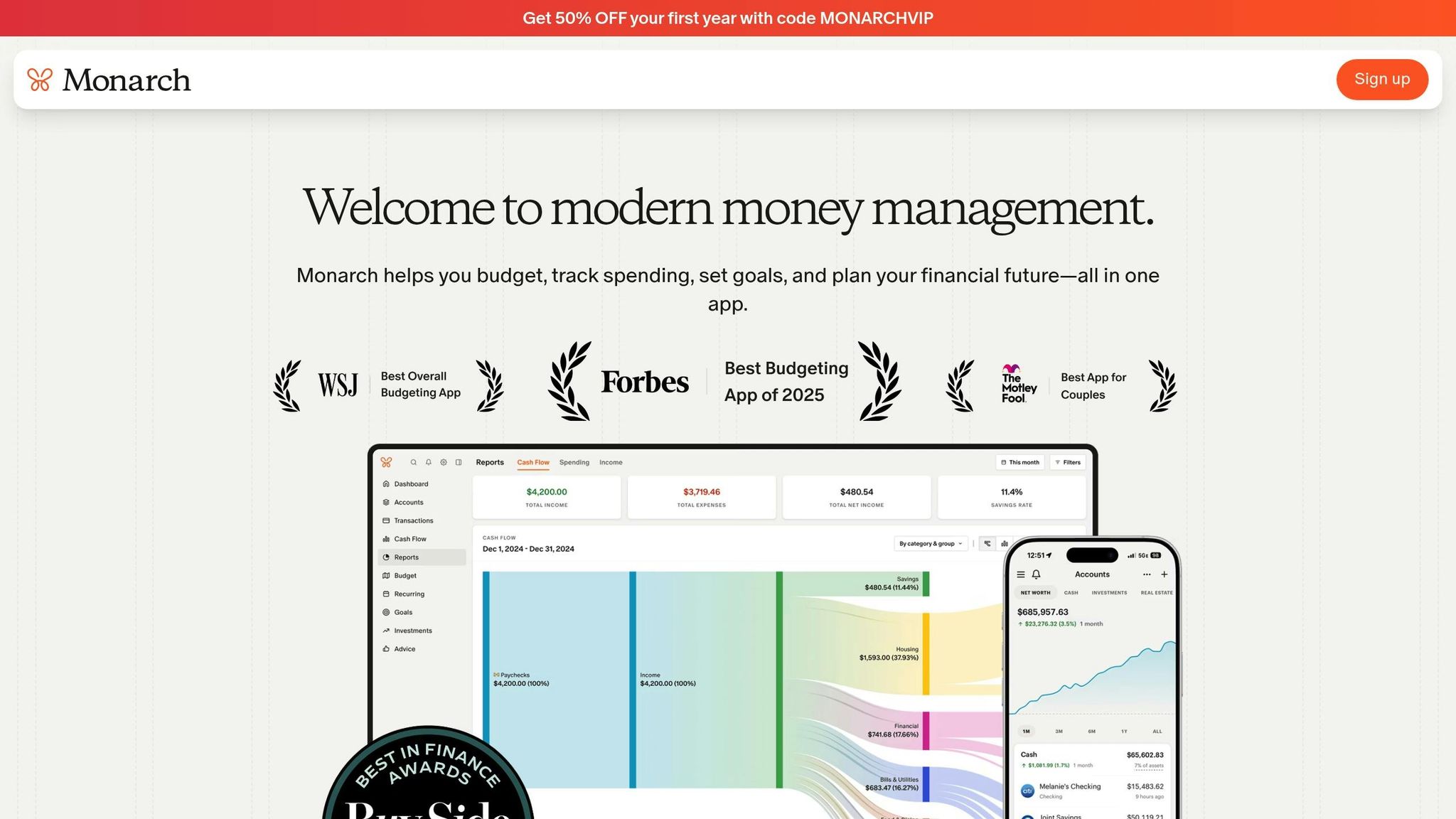
Monarch stands out with its dual budgeting system, offering both Flex Budgeting for a broad overview and Category Budgeting for setting more specific spending limits. It's highly rated on both the App Store and Google Play, and the Wall Street Journal has recognized it as one of the top budgeting apps.
Expense and Income Tracking
Monarch connects with over 13,000 financial institutions, allowing you to link your bank accounts, credit cards, loans, and investments in one convenient dashboard. It tracks a wide range of assets, including individual stocks, 401(k)s, ETFs, and even cryptocurrency. For added convenience, it can also import Amazon transaction data for detailed analysis. The app uses AI-powered natural language reporting to deliver tailored insights, making it easier to understand your financial habits - no spreadsheets required. These robust tracking tools integrate smoothly with Monarch’s customization features.
Budget Customization and Visualization
Monarch allows for a high level of personalization. You can adjust budget groups, categories, emojis, and even the order of items on your budget screen. The app provides visual tools like progress bars and trend charts to help you monitor spending in real time. It also includes features like a net worth tracker, an investment dashboard, and customizable iOS widgets for quick access. Monarch goes further by offering tools to forecast future expenses and set up rollovers for irregular costs, helping you maintain a balanced budget month to month.
Multi-Device Syncing and Accessibility
Monarch works across web browsers, iOS, and Android devices, with real-time syncing to keep your financial data up-to-date no matter where you access it. A standout feature is the ability to invite a partner or financial advisor to collaborate on your household budget at no extra cost. Each person gets their own login credentials while sharing the same financial overview. Plus, Monarch ensures an ad-free experience and promises not to sell your financial data to third parties.
Core Free Features and Limitations
The free version of Monarch includes essentials like bank syncing, category budgeting, and customizable dashboards. For those looking for more, premium subscriptions are available at $14.99 per month or $99.99 annually, with a 7-day free trial to explore advanced features. Premium perks include Flex Budgeting, collaborative access, and enhanced investment tracking. However, some users have reported slower response times from customer support and occasional errors in auto-categorization, which may require manual corrections. Despite these minor drawbacks, Monarch’s mix of free tools and premium options makes it a versatile choice for managing your finances.
4. You Need A Budget (YNAB)
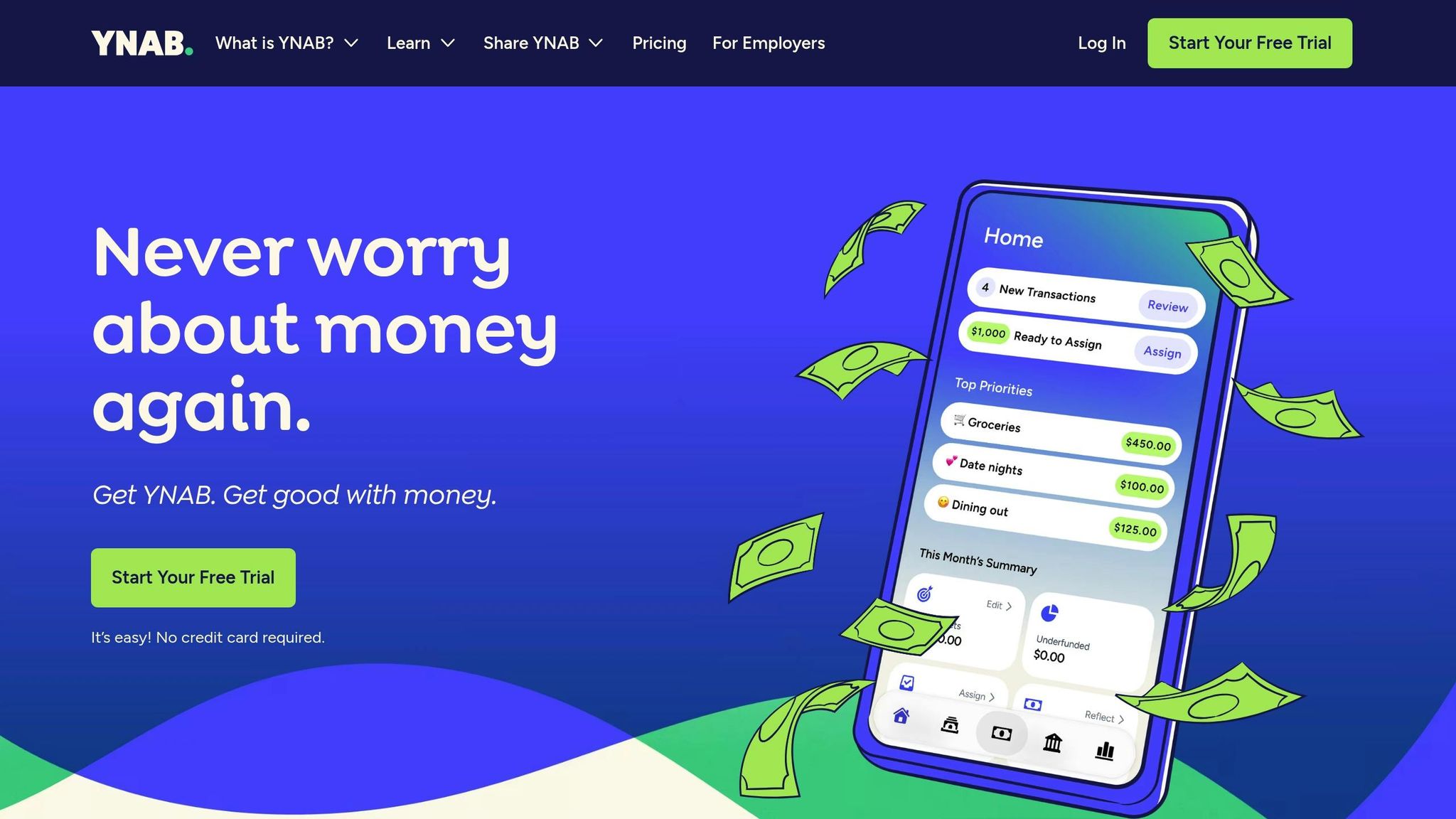
YNAB takes a different approach to budgeting by automating much of the process. It connects directly to your bank accounts, credit cards, and loans, importing transactions automatically. The app uses a zero-based budgeting system, where every dollar is assigned a purpose until your balance hits zero. This "give every dollar a job" mindset focuses on planning how you'll use your money rather than just tracking where it went. YNAB also includes a loan payoff planner to help you monitor debt reduction and see how much you'll save on interest.
Budgeting Made Personal
YNAB's system is built on four guiding principles: Give Every Dollar a Job (assign specific purposes for your money), Embrace Your True Expenses (plan for irregular yet predictable costs like annual insurance premiums), Roll With the Punches (adjust your budget when life throws you a curveball), and Age Your Money (aim to spend money you earned at least 30 days ago). The app offers tools like spending reports and net worth tracking, along with visualizations to help you see your progress. To make budgeting easier, YNAB also provides free workshops, tutorials, and guides, ensuring you have the support needed to master its approach.
Seamless Syncing Across Devices
YNAB works on multiple platforms, including web browsers, iOS, Android, iPad, and even Apple Watch. One feature that stands out is YNAB Together, which allows you to share your subscription with up to five other people (six users total). This makes it ideal for families or partners who want to manage their finances collaboratively.
Free Trial and Pricing Details
While YNAB primarily operates as a paid service, it does offer a 34-day free trial with full access to all features - no credit card required. College students can take advantage of a free 12-month subscription with proof of enrollment. After the trial, pricing is $14.99 per month or $109 annually, which breaks down to about $9.08 per month. According to YNAB, most users save an average of $600 in their first month and $6,000 in their first year. Additionally, 92% of users report feeling less stressed about money after adopting the program.
That said, YNAB focuses exclusively on budgeting and debt management, so it doesn’t include features like credit score tracking or ongoing investment account syncing.
"YNAB isn't just a tool for money management. It's a tool for self-actualization. Who do you want to be, and how can the money you earn help you get there?"
- Adrienne So, Senior Associate Reviews Editor, WIRED
5. Emohpay
From all indications, Emohpay does not seem to be a recognized budgeting tool. A thorough search reveals no reliable sources, user reviews, or official documentation supporting its existence.
It’s possible that "Emohpay" is either a typo or confusion with another budgeting service. If you’re looking for dependable budgeting tools, it’s best to stick with apps that have a solid reputation and transparent company information.
When choosing a budgeting app, prioritize tools that are verified and come with clear benefits. Look for features like manual transaction entry, automatic bank syncing, debt tracking, or collaborative budgeting. Reliable tools typically have an active user base, visible listings in official app stores, transparent privacy policies, and genuine user reviews. On the other hand, a lack of online presence or documentation should raise concerns, especially when dealing with financial tools.
For peace of mind, stick to well-established apps with proven track records and robust customer support.
6. Goodbudget

Goodbudget takes the old-school envelope budgeting system and gives it a modern twist. Instead of stuffing cash into physical envelopes, you assign your income to virtual envelopes, each representing a spending category. This system helps you plan where your money will go before you spend it, promoting intentional financial decisions over simply tracking past expenses.
Expense and Income Tracking
With the free version, you’ll need to manually input every transaction, income source, and account balance since automatic bank syncing is only available with the Premium plan. While this might seem like extra work, it’s a great way to stay mindful of your spending habits in real time.
Budget Customization and Visualization
The free plan includes 20 envelopes - 10 regular and 10 additional - for organizing expenses like groceries, rent, or entertainment. The app’s design is simple and beginner-friendly, making it easy for anyone to get started.
"Goodbudget is a great fit if you're new to budgeting. It's essentially a digital version of envelope stuffing... and comes with an easy-to-use interface and lots of education tools." - CNBC Select
Multi-Device Syncing and Accessibility
Goodbudget simplifies budget management across devices. The free plan supports syncing on up to two devices, which is handy for couples or partners sharing financial responsibilities. You can use the app on iOS, Android, or a web browser. For those who upgrade to Premium, syncing expands to five devices. Plus, Goodbudget ensures your financial data stays secure with bank-grade 256-bit SSL encryption.
Core Free Features and Limitations
| Feature | Free Plan | Premium Plan |
|---|---|---|
| Cost | $0 | $10/month or $80/year |
| Envelopes | 20 Total | Unlimited |
| Accounts | 1 Account | Unlimited |
| Device Syncing | 2 Devices | 5 Devices |
| Bank Syncing | Manual Entry Only | Automatic Imports |
| History | 1 Year | 7 Years |
The free version has earned mixed reviews: it boasts a 4.6 out of 5 rating on the Apple App Store but only a 3.3 out of 5 on Google Play as of December 1, 2025. While users praise its focus on intentional spending and the shared budgeting features, some find the manual entry process tedious. A few Android users have also mentioned occasional syncing hiccups.
sbb-itb-02fd20a
7. Mint
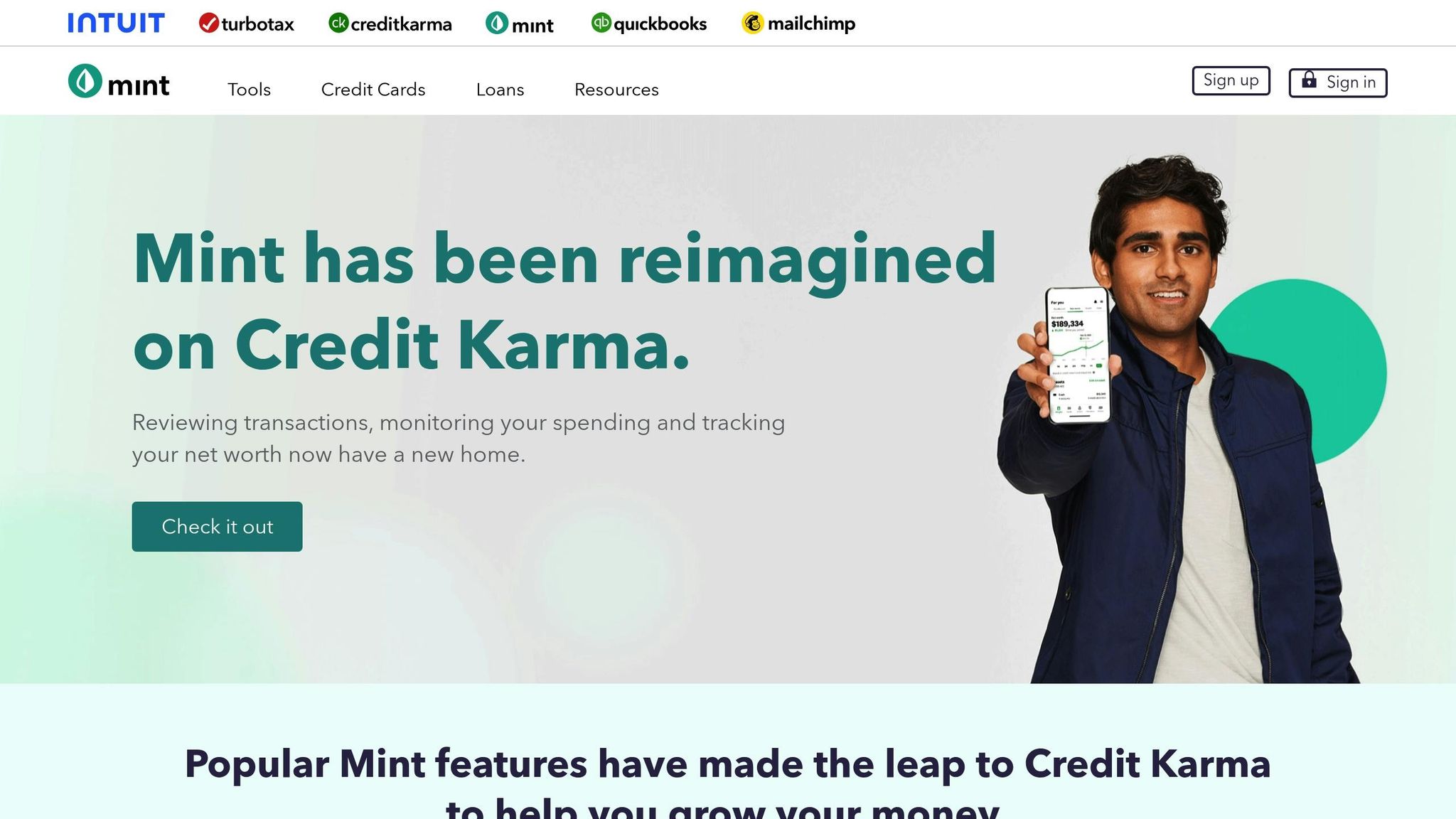
Important Note: As of January 1, 2024, Mint has officially shut down and is no longer available for budgeting. While it left a lasting mark on the world of free budgeting tools, users can no longer access its services.
Expense and Income Tracking
Mint stood out by syncing with bank accounts, credit cards, and even retirement accounts. It automatically categorized transactions but also allowed users to make manual adjustments. The app included a daily budget planner and sent custom alerts for overspending, large transactions, ATM fees, and upcoming bill due dates.
Budget Customization and Visualization
Users appreciated Mint's straightforward budgeting tools and automatic expense categorization. It also offered free 24/7 access to credit scores, credit report summaries, and notifications about changes in TransUnion credit reports. However, the service was ad-supported and did not offer a paid, ad-free option.
Multi-Device Syncing and Accessibility
Mint was accessible across multiple platforms, including Apple and Android devices as well as web browsers. It prioritized security with features like Verisign scanning, multi-factor authentication, and Touch ID. Before its discontinuation, Mint had earned high ratings: 4.7 out of 5 on the Apple App Store from over 625,000 users and 4.5 out of 5 on Google Play from more than 180,000 ratings. These features helped solidify Mint's reputation as a leading free budgeting tool.
Core Free Features and Limitations
| Feature | Details |
|---|---|
| Cost | Free (ad-supported) |
| Bank Syncing | Automatic syncing with multiple accounts |
| Credit Monitoring | Free access to TransUnion credit scores |
| Bill Tracking | Payment reminders and due date alerts |
| Status | Shut down January 1, 2024 |
"The Mint app has shut down as of Jan. 1, 2024." - CNBC Select
8. NerdWallet
NerdWallet takes a big-picture approach to your finances, focusing on overall financial well-being rather than diving into every single expense. It’s a great complement to apps that specialize in detailed tracking, offering a broader perspective. Using the 50/30/20 framework, it automatically categorizes your spending into needs, wants, and savings or debt, giving you a clear view of where your money is going. This hands-off style is ideal if you want to understand your financial habits without managing every category manually.
Expense and Income Tracking
NerdWallet’s Cash Flow feature keeps tabs on all the money flowing in and out of your connected accounts. When you link your bank accounts, credit cards, investments, loans, and property, the app pulls in two full years of transaction history - far more than the usual 90 days. You can use this information to compare current spending trends with previous weeks, months, or even years. It also flags upcoming bills and recurring payments, helping you stay on top of due dates and avoid late fees. All of this detailed tracking feeds into the app’s easy-to-understand financial visuals.
Budget Customization and Visualization
The app automatically applies the 50/30/20 rule to your finances, making it simple to see if your essential "needs" are taking up too much of your income. NerdWallet also includes a net worth tracker that combines details like cash, credit card balances, investments, loans, and home values into one comprehensive snapshot. While you won’t get the detailed control of category-specific budgets, this approach emphasizes a clear, high-level view of your financial health.
Multi-Device Syncing and Accessibility
NerdWallet works seamlessly across iOS, Android, and web browsers, keeping your financial data updated no matter where you access it. Security is a top priority, with bank-grade encryption and multi-factor authentication protecting your accounts. As of January 2026, the app holds a 4.8 out of 5 stars on the iOS App Store and a 4.7 out of 5 on Google Play. PCMag also gave it a 4.0 out of 5, highlighting its educational resources and net worth tracking features.
Core Free Features and Limitations
| Feature | Details |
|---|---|
| Cost | Free (no premium upgrades needed) |
| Account Linking | Bank, credit, investment, loans, property |
| Budgeting Style | Automatic 50/30/20 framework |
| Credit Monitoring | Daily VantageScore 3.0 and full TransUnion report |
| Transaction History | Automatically imports 2 years of data |
| Custom Categories | Not available |
| Platforms | iOS, Android, Web |
NerdWallet also offers free daily credit score updates and a full credit report through TransUnion, along with personalized advice to improve your credit health. However, it doesn’t allow custom spending categories or set individual spending limits, which makes it better suited for users who prefer a big-picture approach to budget management rather than a detailed, hands-on system.
9. EveryDollar
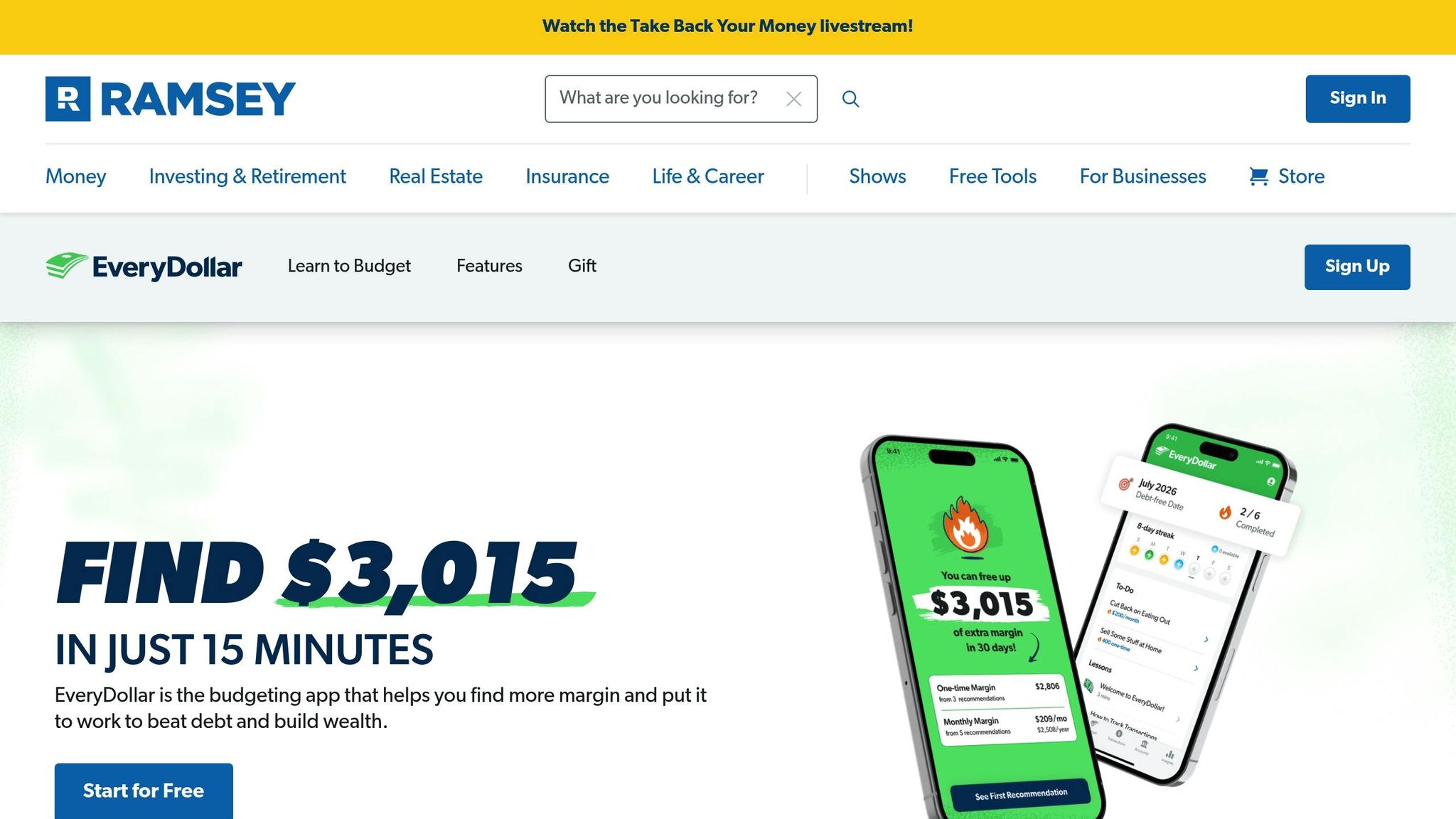
EveryDollar is built around zero-based budgeting, where every dollar in your income gets assigned a specific purpose until there’s nothing left unaccounted for. This method, inspired by Dave Ramsey's Baby Steps philosophy, encourages mindful and intentional spending. Unlike some other budgeting apps, EveryDollar requires manual transaction entry, which ensures you stay actively engaged with your finances.
Expense and Income Tracking
The free version of EveryDollar focuses on manual transaction logging, allowing you to split entries across various categories for precise tracking. You can also set due dates for bills, giving you visual reminders to help avoid late payments. The app supports sinking funds, making it easier to save for larger, planned expenses. With over 10 million users, new budgeters often uncover an average of $3,015 in potential savings during their first 15-minute setup session.
Budget Customization and Visualization
EveryDollar makes customizing your budget straightforward. You can create unlimited budget categories and even use emoji markers for better organization. The app’s clean and simple interface helps users aim for an "EveryDollar budget" status, signified by a green checkmark once every dollar has been allocated. While the free version offers basic tools for financial planning, features like net worth tracking and retirement planning are exclusive to Premium users.
Multi-Device Syncing and Accessibility
EveryDollar works across iOS, Android, and web browsers, ensuring your budget stays updated no matter which device you use. Couples can also share a single account, allowing them to collaborate on their finances in real time. The app has earned high ratings: 4.7 out of 5 stars on the Apple App Store (based on over 71,500 reviews) and 4.4 out of 5 stars on Google Play (from more than 12,700 reviews).
Core Free Features and Limitations
| Feature | Details |
|---|---|
| Cost | Free (Premium: $79.99/year or $17.99/month) |
| Transaction Tracking | Manual entry only |
| Budget Categories | Unlimited custom categories |
| Multi-Device Sync | iOS, Android, Web |
| Sinking Funds | Yes |
| Bank Account Linking | No (Premium only) |
| Custom Reports | No (Premium only) |
The free version lacks bank account linking, meaning all transactions must be entered manually. Even with the Premium plan, users are required to categorize transactions themselves to maintain an intentional connection with their spending habits. Data shows that active users often discover $3,015 or more in additional budget margin within their first 30 days, and up to $20,150 in their first year. CNET gave EveryDollar a rating of 8.5 out of 10, applauding its simplicity and effectiveness in helping users pay off debt.
10. Honeydue
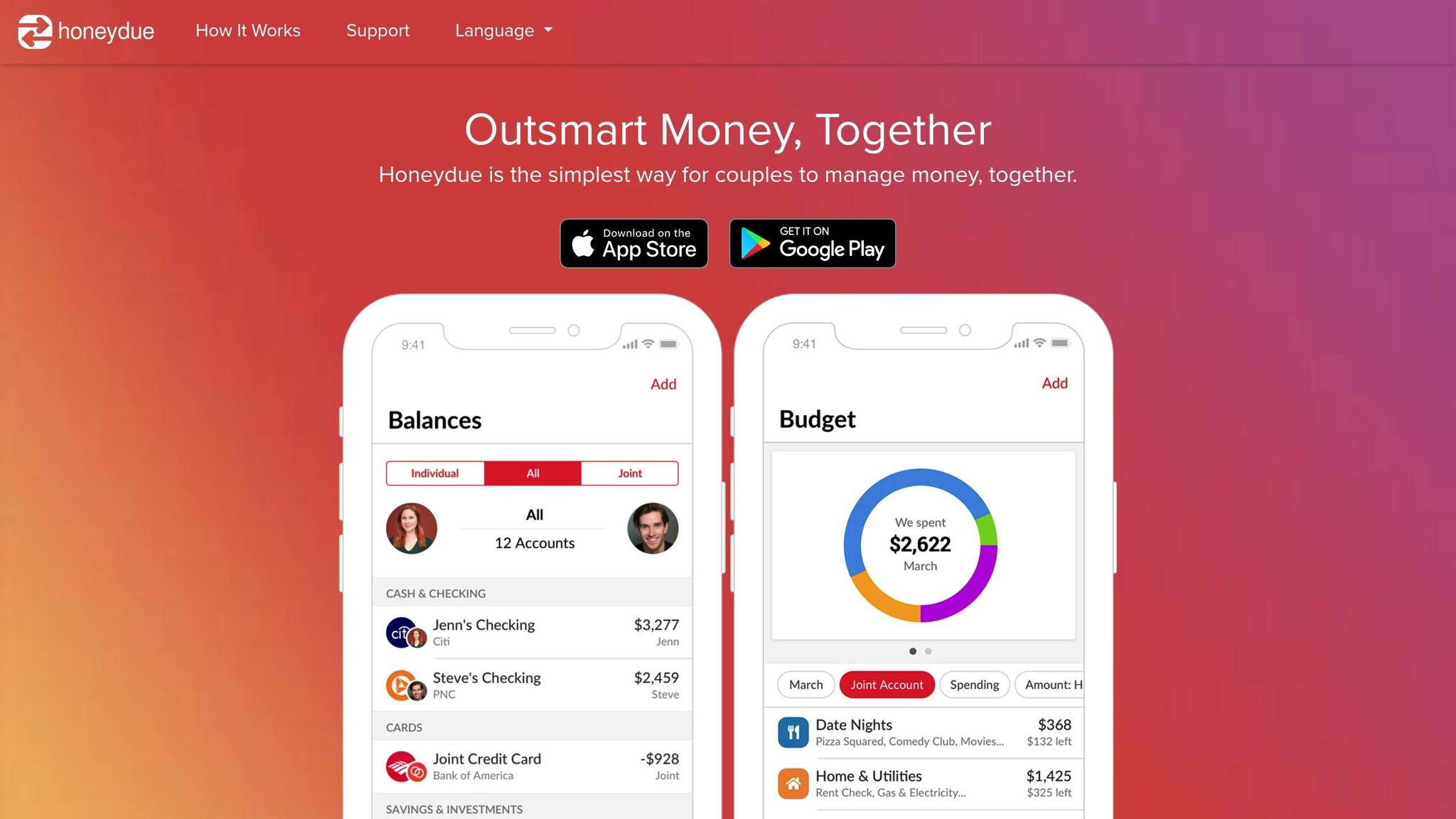
Honeydue is a budgeting app designed specifically for couples to manage their finances together. It’s completely free - no premium tiers, no hidden charges - and connects with over 20,000 financial institutions in five countries.
Expense and Income Tracking
Once you link your accounts, Honeydue automatically categorizes your expenses, giving you a clear snapshot of your spending. What makes it stand out is its flexible sharing options. You can choose to share everything (balances and transactions), just account balances, or keep certain accounts entirely private. This feature is perfect for situations like buying surprise gifts, where discretion is key. Plus, the app includes a built-in chat feature, allowing couples to comment on specific transactions using text or emojis. This makes it easy to clarify charges or discuss spending in real time.
"Couples can use social-media-like comments, including emojis, to ask each other about recent expenses." - Time
Multi-Device Syncing and Accessibility
Honeydue is available for both iOS and Android, and it syncs data in real time across devices. However, it’s worth noting that the app is mobile-only - there’s no desktop or web version. Security-wise, Honeydue uses bank-grade 256-bit SSL encryption to keep your data safe. The app has earned an average rating of 4.4 out of 5 on WalletHub, reflecting its reliability and ease of use.
Core Free Features and Limitations
| Feature | Details |
|---|---|
| Cost | Completely free (no premium tier) |
| Bank Syncing | Connects to 20,000+ institutions |
| Shared Bill Calendar | Included with push notifications |
| In-App Chat | Yes, with emoji support |
| Desktop Access | Not available (mobile-only) |
| Advanced Reports | Basic categorization only |
While Honeydue excels at providing a simple and collaborative budgeting experience, it does have its limitations. Advanced financial tools - like personalized debt payoff plans or detailed investment tracking - aren’t part of the package. Still, for couples looking for an easy and cost-free way to manage their finances together, Honeydue delivers on its promise.
Feature Comparison Table
Here's a quick breakdown of the key features we've covered:
| Tool | Free Plan Available | Bank Sync | Manual Entry | Free Features | Major Limitations | Premium Cost |
|---|---|---|---|---|---|---|
| Monefy | Yes | No | Yes | Expense tracking, income management, savings tracking, multi-currency support | Limited advanced features, manual entry only, limited categories and reports | $59.99/year |
| PocketGuard | Yes | Yes | No | Automated expense tracking, "In My Pocket" feature, bill tracking | Lacks custom categories and debt payoff strategies | $12.99/month or $74.99/year |
| Monarch | No (7-day trial) | Yes | No | Clean dashboards, flexible and category budgeting, investment tracking | No permanent free tier | $14.99/month or $99.99/year |
| YNAB | No (34-day trial) | Yes | No | Zero-based budgeting, goal tracking, real-time syncing | No permanent free tier | $14.99/month or $109.00/year |
| Emohpay | N/A | N/A | N/A | No verified features available | Not a recognized budgeting tool | N/A |
| Goodbudget | Yes | No | Yes | Digital envelope system, shared household budgets | Limited to 10–20 envelopes, one account, two devices max, and one-year history | $10.00/month or $80.00/year |
| Mint | No | N/A | N/A | Service discontinued as of March 2024 | Transitioned to Credit Karma | N/A |
| NerdWallet | Yes | Yes | No | Basic budgeting, credit monitoring, financial education | Primarily a credit tool with limited budgeting depth | Free |
| EveryDollar | Yes | No | Yes | Zero-based budgeting, simple interface, goal setting | Manual entry only; no bank sync in free version | $79.99/year |
| Honeydue | Yes | Yes | No | Couples-focused features, shared accounts, in-app chat, bill calendar | Mobile-only with no savings goals or desktop access | Free (optional tips $1.00–$10.00) |
Tools like Monefy, Goodbudget, and EveryDollar rely on manual entry, giving you more control over your data but requiring consistent effort to log every transaction. On the other hand, automated options like PocketGuard and Honeydue streamline the process by syncing directly with your bank accounts, though they may limit customization in their free versions.
If you're looking for advanced features like investment tracking or detailed debt payoff tools, upgrading to a premium plan might be necessary.
Interestingly, only about 33% of Americans reviewed their budget in the past 30 days. Finding a tool that aligns with your habits and lifestyle can be a game-changer for sticking to your financial goals. If you’re considering a tool with automatic syncing, double-check that it supports your bank to avoid unnecessary manual workarounds.
Conclusion
Free budgeting tools offer the essentials: tracking expenses, setting goals, and identifying spending patterns. Whether you're someone who enjoys manually entering transactions for a more hands-on approach or prefers the ease of automatic syncing, these apps provide the core features needed to take charge of your finances and build savings. This guide lays the groundwork for choosing a tool that matches your personal budgeting preferences.
While free plans cover the basics, they often come with limitations, such as fewer spending categories, restricted historical data, or the need for manual entry. If you’re managing multiple accounts, tackling complex debt, or looking for deeper customization, upgrading to a paid plan with advanced features like automated syncing or detailed reporting might be worth considering.
The key is finding a tool that aligns with your habits and sticking with it. As Riley Jones puts it: "The real magic happens when you pick a tool that feels intuitive to you and stick with it long enough to see trends and shifts in your behavior". With only 36% of Americans having a written financial plan but 96% of those with one feeling confident about their goals, consistent use of a budgeting tool can be a game changer.
Start with a free version, explore its features for a month, and then decide if an upgrade makes sense for your needs. In the end, the best budgeting tool is the one you’ll actually use - whether it’s a simple manual tracker or an advanced, automated system.
FAQs
What’s the difference between manual and automated budgeting tools?
Manual budgeting means tracking your income and expenses the old-fashioned way - using spreadsheets or even a trusty notebook. While this method gives you complete control over every penny, it can be a bit of a hassle. It’s often time-intensive, leaves room for human error, and can become tricky to keep up with when you’re dealing with a lot of transactions. Plus, staying on top of your finances requires frequent reviews to spot overspending or missed chances to save.
On the other hand, automated budgeting tools take much of the work off your plate. By connecting directly to your bank accounts and credit cards, these tools automatically import, sort, and track your transactions in real time. They also provide easy-to-read visual summaries and send you alerts when needed. Some even go the extra mile by spotting spending trends or setting up automatic savings transfers. The result? Managing your money becomes quicker, simpler, and far less stressful.
How do I pick the best free budgeting tool to meet my financial goals?
To find the best free budgeting tool, start by pinpointing what you want to achieve with your finances. Are you trying to keep a close eye on daily expenses, grow your savings, tackle debt, or stay on top of subscription costs? Once you’ve nailed down your goals, look for tools that offer features like automatic transaction categorization, customizable goal-setting, or alerts for upcoming bills - these can make a big difference.
Ease of use and security should also be top priorities. Choose a tool with a clean, user-friendly design that won’t leave you frustrated. Strong security measures, such as encryption and two-factor authentication, are essential to keep your financial data safe. Plus, seamless integration with your bank accounts and credit cards can save you time by reducing the need for manual data entry.
Lastly, take a moment to browse user reviews and ratings. These can give you valuable insight into how reliable the tool is, how responsive the customer support team might be, and whether the tool gets regular updates. By aligning your needs with the right features, usability, and security, you’ll be well on your way to simplifying your money management.
What should I look for in a budgeting app to keep my financial data secure?
When picking a budgeting app, focus on features that keep your financial information secure. Make sure the app offers password protection or biometric login options, such as fingerprint or facial recognition, so only you can access your account. Additionally, confirm that the app clearly states it won't share your financial data with third parties, protecting your sensitive details from being exposed.
These precautions help ensure your personal and financial information stays secure while you manage your budget.